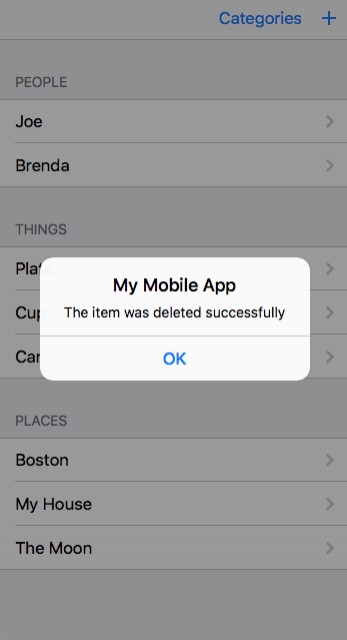
alert
"Alert" statement. The alert statement displays a modal alert on the app, that stays there until the user clicks "ok". It requires a single parameter (message) giving the text of the alert message to display. Alert may also optionally take one or more additional parameters that will be converted to strings and then concatenated, allowing you to build complex messages without using a concat() operation.
Processing may still continue
Unlike javascript's alert() function, alert does not cause *all* processing to cease until the alert is closed. Any processing scheduled to complete in the background such as automatic updating of content based on templates and values, receipt of signals, etc. will continue. Only the statements placed after the alert statement in the code block in which it appears, or that should occur sequentially after the diagram element it is associated with, will be held until it completes.
Format:
alert(message [,part1] [,part2] [,...] )
Parameters:
| Parameter | Type | Description |
|---|---|---|
| message | mixed | The message is usually a string, but can be any type that can easily be converted into a string, such as a number. |
| partN | mixed | [Optional]one or more additional parameters may be included that will be concatenated |
Examples
if (a == 4) alert("a is 4")
alert("The item was deleted successfully")
alert("The item with the name ", item.name , " was deleted!")
Screen Shots